Bulk SMS Mailing Tool
Sending Online Bulk SMS

Sending a sms to large groups. With the Cellcom Bulk SMS Mailing Tool you do this without software. And this at the least expensive rates to Belgian operators Proximus, Mobistar, Base and Telenet.

1

Sending a SMS to Large Groups

Sending a SMS to Large Groups

The Bulk SMS Mailing Tool is a perfect solution if you want to send a sms to large groups. You write the text, select the recipients and the time of sending all on the internet with our sms interface. Examples of such uses include marketing campaigns, notifications and group messages. And this at the least expensive rates to Belgian operators Proximus, Mobistar, Base and Telenet.
2

Online Cloud SMS Software

Online Cloud SMS Software

No need to install any software! You only need a user name and password to log in on the online sms platform. In this application you import existing address lists from your PC and create your groups. Result: you reach a mass of people in a very short time. You follow the sms messages real-time and analyse the send statistics from the time of sending up to receipt.

3

Personal and lightning-fast

Personal and lightning-fast

Send a sms? So why not personalise it. You can, for example, automatically insert the name of the recipient in each message. He or she then feels more personally addressed. Sending a sms also takes place at lightning speed: up to more than 30,000 sms messages a minute. And thanks to the direct link to the Cellcom SMS Server this is the most reliable way to send large sms volumes.

  • Sending Bulk SMS

    Sending Bulk SMS

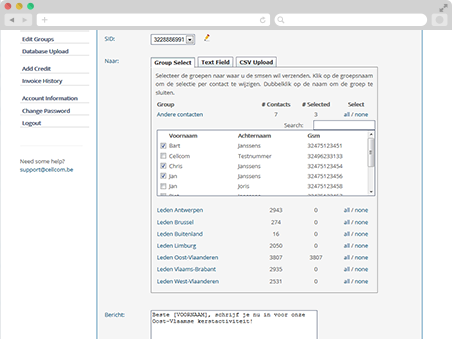
    Set the sender of the sms. Then the target groups. You can also cut and paste mobile numbers from an external database, or upload an existing database. Write the sms, simply add often used texts and use parameters to personalise the sms. You then set the sending time and press ‘send’.

    Any further questions? See our FAQ.
  • Importing a Database

    Importing a Database

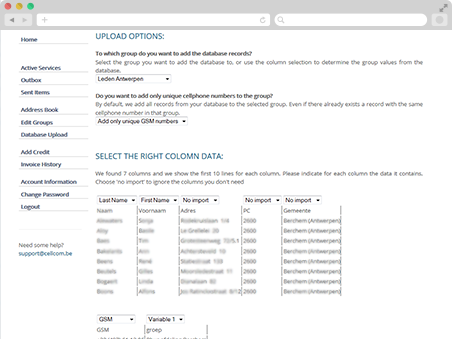
    Select the file you want to upload. This can be a CSV (.csv or .txt), Excel (.xlsx or .xls) or OOCalc (.ods) database. The database does not have to have a specific column structure. Neither do the mobile phone numbers have to have a specific format. Our interface recognises all formats. You can also extra fields for use as variables in the message.

    Any further questions? See our FAQ.
  • Detailed Send History

    Detailed Send History

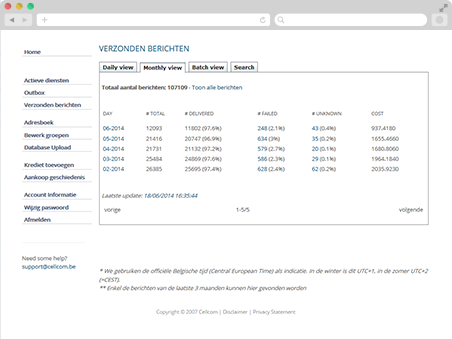
    See the send statistics for all sent messages, compile tailored reports or search by individual numbers. Detailed information on when a message was sent or the reason why it has not (yet) been sent is presented.

    Any further questions? See our FAQ

Other Services

Bulk SMS Mailing Tool
5 out of 5 based on 938 user ratings.